☰
ReactJS – Introduction
What is React?
- React is a front-end JavaScript library.
- React was developed by the Facebook Software Engineer Jordan Walke.
- React is also known as React.js or ReactJS.
- React is a tool for building UI components.
- React only changes what needs to be changed!
What You Should Already Know
Before you continue you should have a basic understanding of the following
- HTML ✓
- CSS ✓
- JAVASCRIPT ✓
- If you want to study these subjects first, find the solution on our Website
How to Learn React
- Start with the official docs: React Docs
- Follow beginner tutorials on YouTube
- Practice by building small apps
- Learn JSX, props, and state
- Explore hooks (
useState,useEffect)
How to Install React (Windows)
- Install Node.js from nodejs.org
- Open terminal/command prompt
- Run:
npx create-react-app my-app - Navigate into the project:
cd my-app - Start the app:
npm start - Open
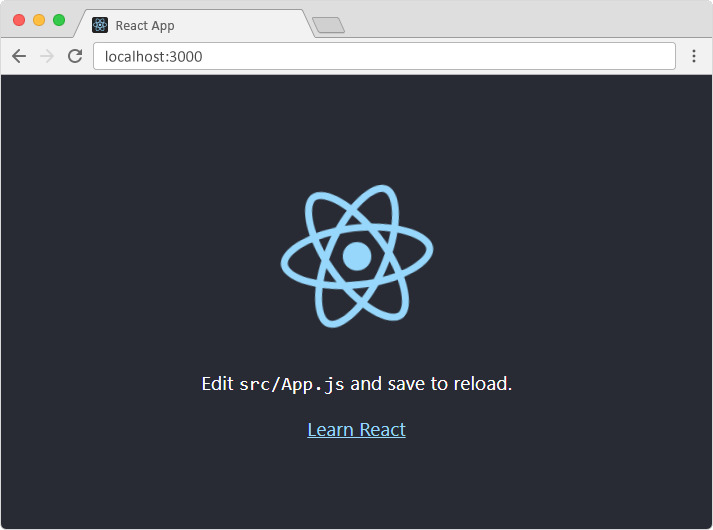
localhost:3000in your browser
The Result:
Modify the Application
- Open src/App.js in your project
- /myReactApp/src/App.js:
                import logo from './logo.svg';
                import './App.css';

                    function App() {
                      return (
                          <div className="App">
                              <header className="App-header">
                                  <img src={logo} className="App-logo" alt="logo" />
                                    <p>
                                       Edit <code>src/App.js</code> and save to reload.
                                     </p>
                                  <a
                                    c lassName="App-link"
                                    href="https://reactjs.org"
                                    target="_blank"
                                    rel="noopener noreferrer"
                                  >
                                     Learn React
                                  </a>
                                </header>
                          </div>
                      );
                    }

export default App;- Changes are visible immediately after saving the file.
Example
- Replace content inside <div className="App"> with <h1>
- See changes in the browser
                              import React from 'react';

                                 function App() {
                                          return (
                                               <div className="App">
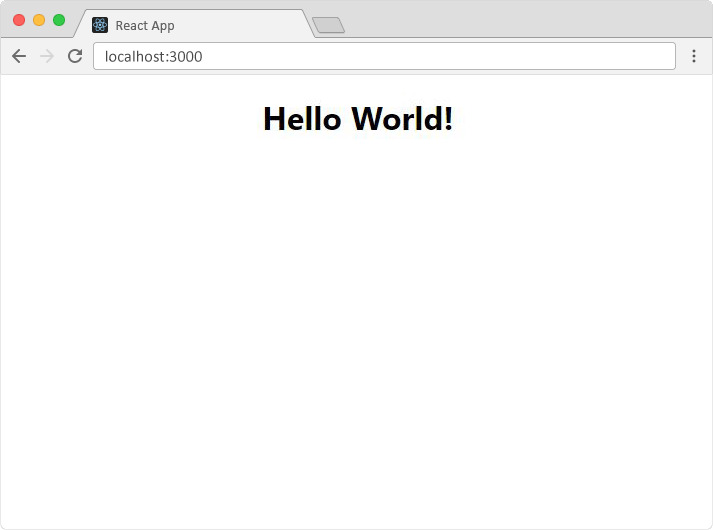
                                                   <h1>Hello, World!</h1>
                                                </div>
                                              );
                                             }

                                 export default App;
📘 Step-by-Step Explanation:
- import React from 'react'; – Imports React library
- function App() – Functional component
- <div><h1>Hello, World!</h1></div> – JSX return syntax
- export default App; – Allows usage in other files
Rendered in index.js like:
                    import React from 'react';
                    import ReactDOM from 'react-dom/client';
                    import App from './App';

                    const root = ReactDOM.createRoot(document.getElementById('root'));
                    root.render(<App />);
The Result:
- Now you have a React Environment on your computer and are ready to build apps!